Music player for Linux & Windows

LocalSound

A powerful music player for the collection you actually own. It keeps your library tidy, looks good doing it, and never messes with your files behind your back.

  • Free. No account, no cloud, no subscription.
  • Ratings and tags stay in your music files.
  • Library and settings in plain, human-readable JSON.

On a Mac? A macOS version is probably coming, somewhere later. Honestly, I don't know yet.

On a phone? LocalSound is a desktop app. Come back with a real keyboard, it'll be worth it.

Version 0.50.1 · 2 November 2026 · What's new

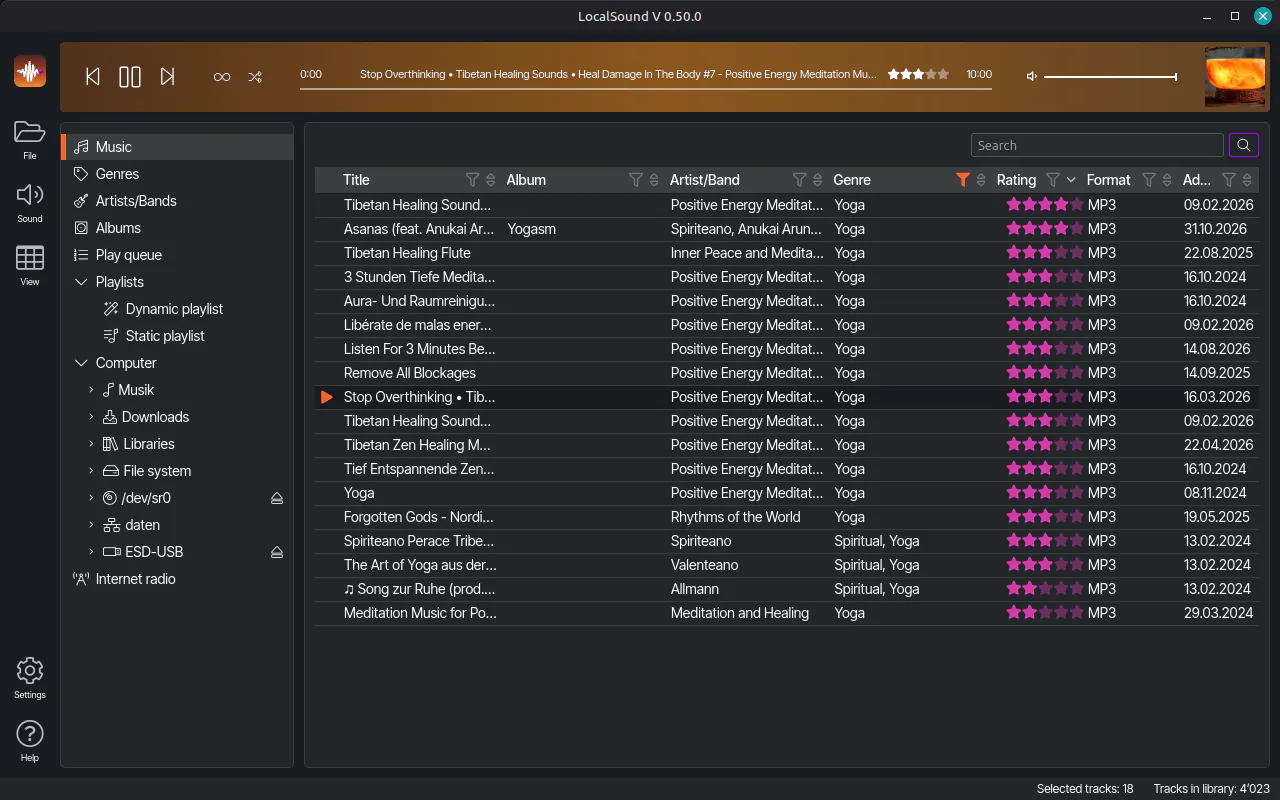
LocalSound's track list in the Dark theme, filtered by genre and sorted by star rating, with a track playing
Your library in the Dark theme, shown on Linux Mint.

Why it exists

Born out of a move to Linux

MusicBee ran my music for years. But it's a Windows app, and I was moving to Linux.

I couldn't find a Linux player that was just as powerful, left my files intact, kept the library free of duplicates and was nice to look at. So I built one: the same player on Linux and Windows, and it respects your files.

The public release is new, the player isn't. It has run my own collection every day since early 2024, on Linux and Windows in parallel, writing tags and filing tracks into folders all along. So most bugs got to bite me first.

What exactly went wrong with the other players is on the About page.
What it does

Everything a music collection needs

And nothing it doesn't: no store, no feed, no algorithm that thinks it knows you.

  • Leaves your files alone

    Ratings, tags and artist info live in your music files, not in some hidden database. Switch players tomorrow and everything comes along. (I'd miss you, though.)

  • A tidy library

    Organizing rules file your tracks into clean artist and album folders once the track data is known. One album, one copy. Not three.

  • Looks good doing it

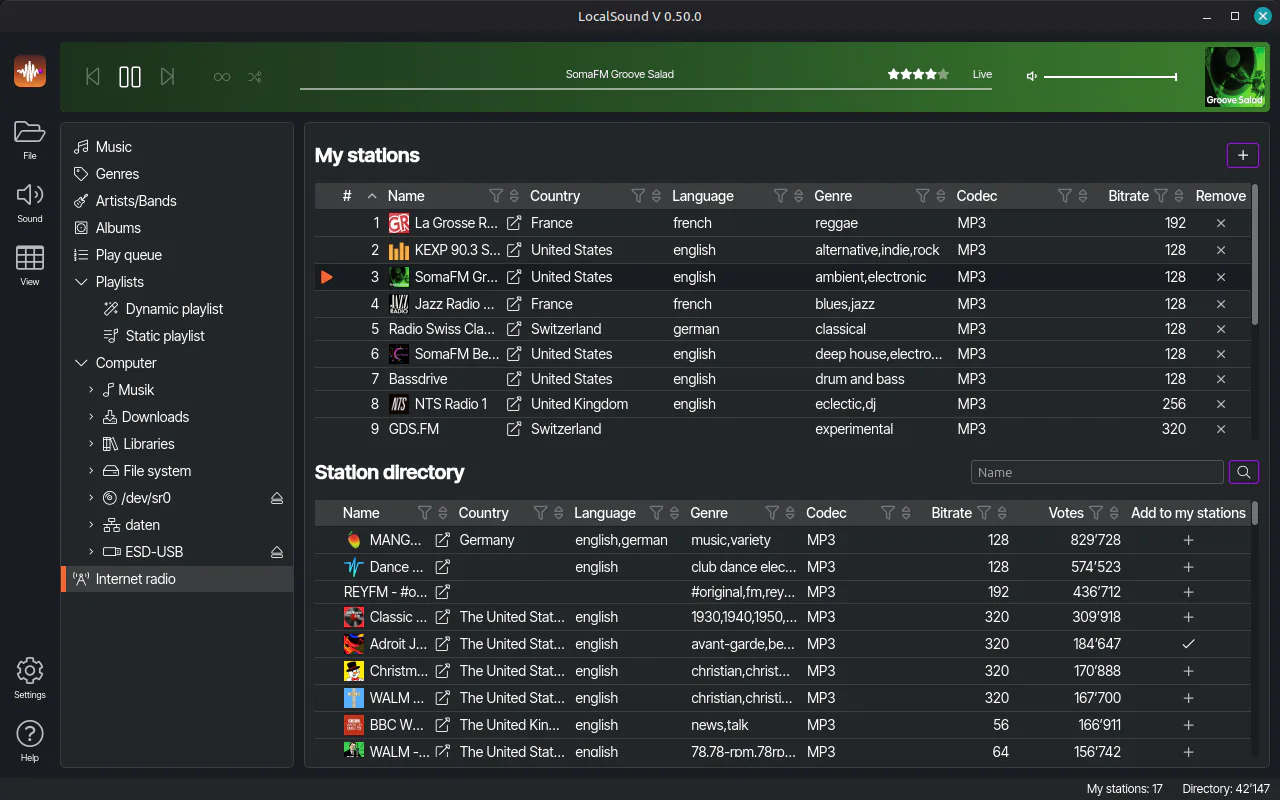
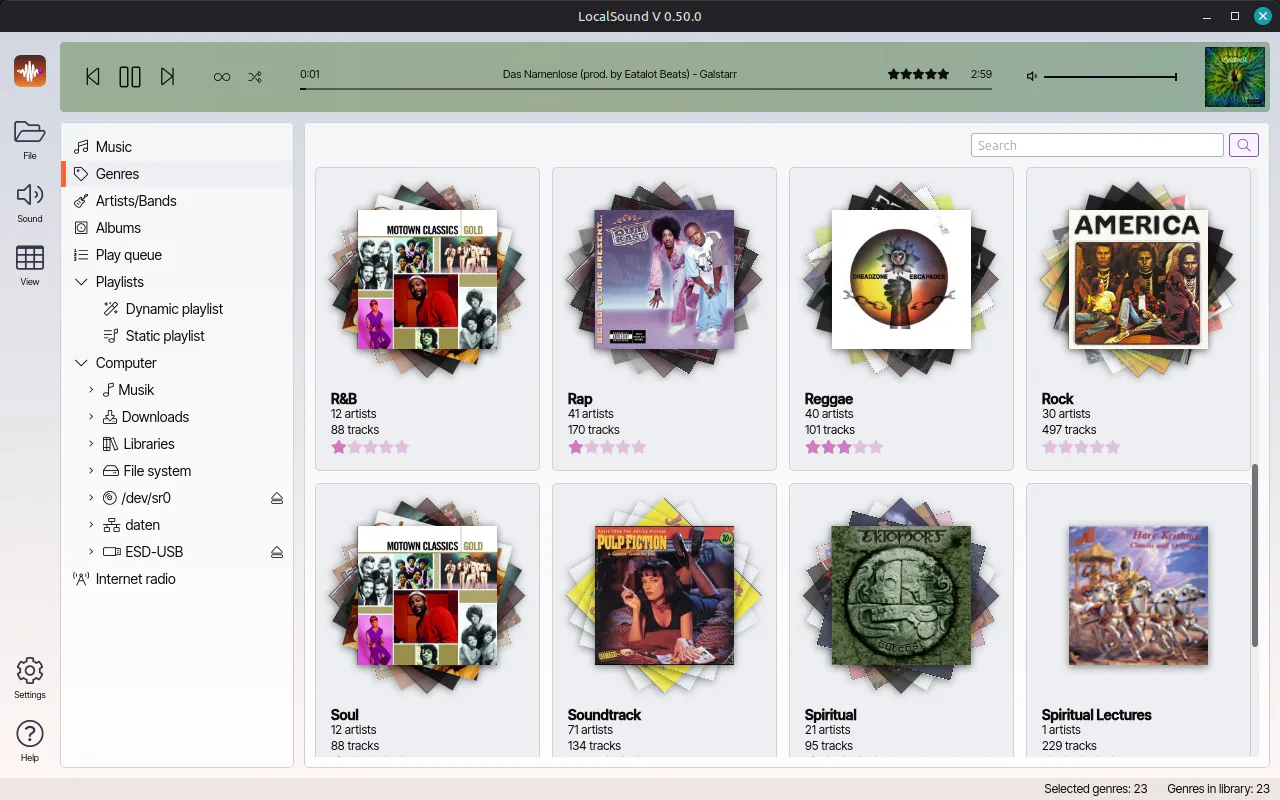
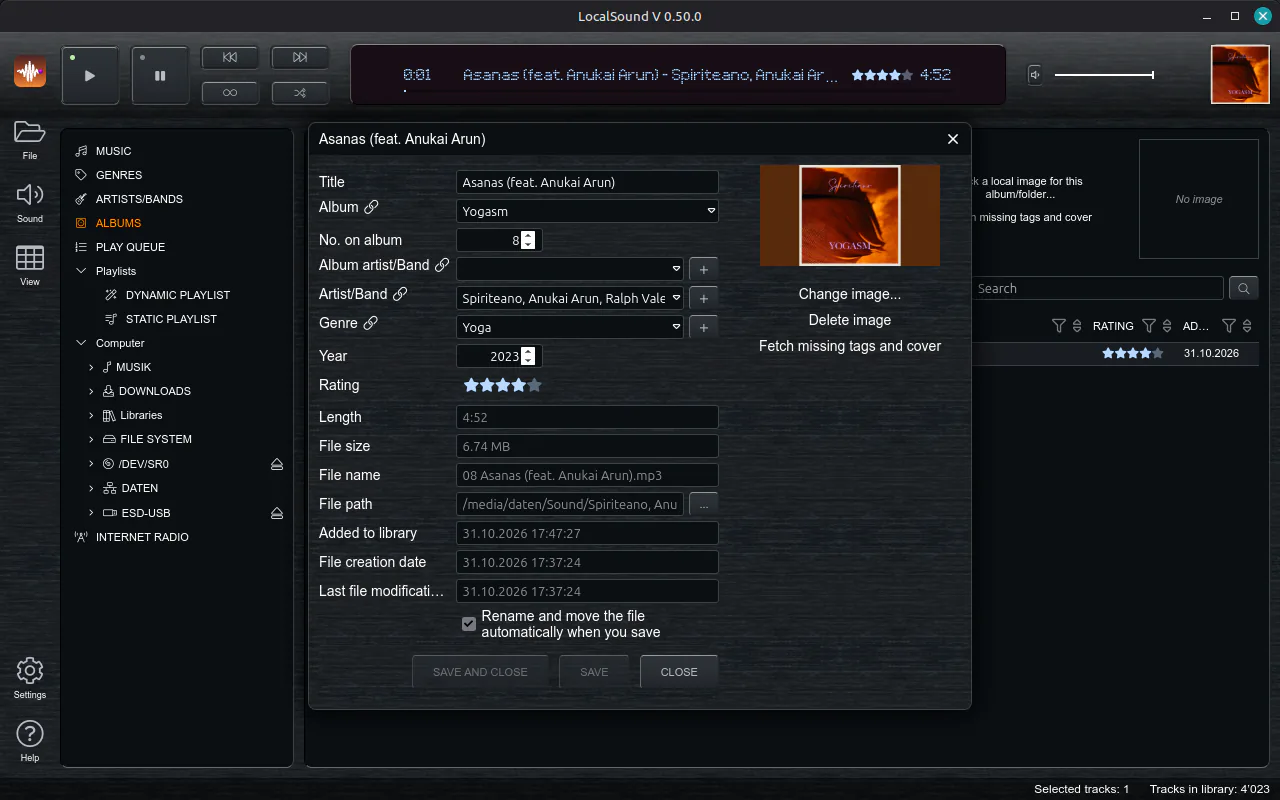
    Dark and Light follow your system's setting, Eighties brings an LCD-style display, and OS keeps it plain. In most themes, the player bar even takes its colors from the cover that's playing.

  • Find anything

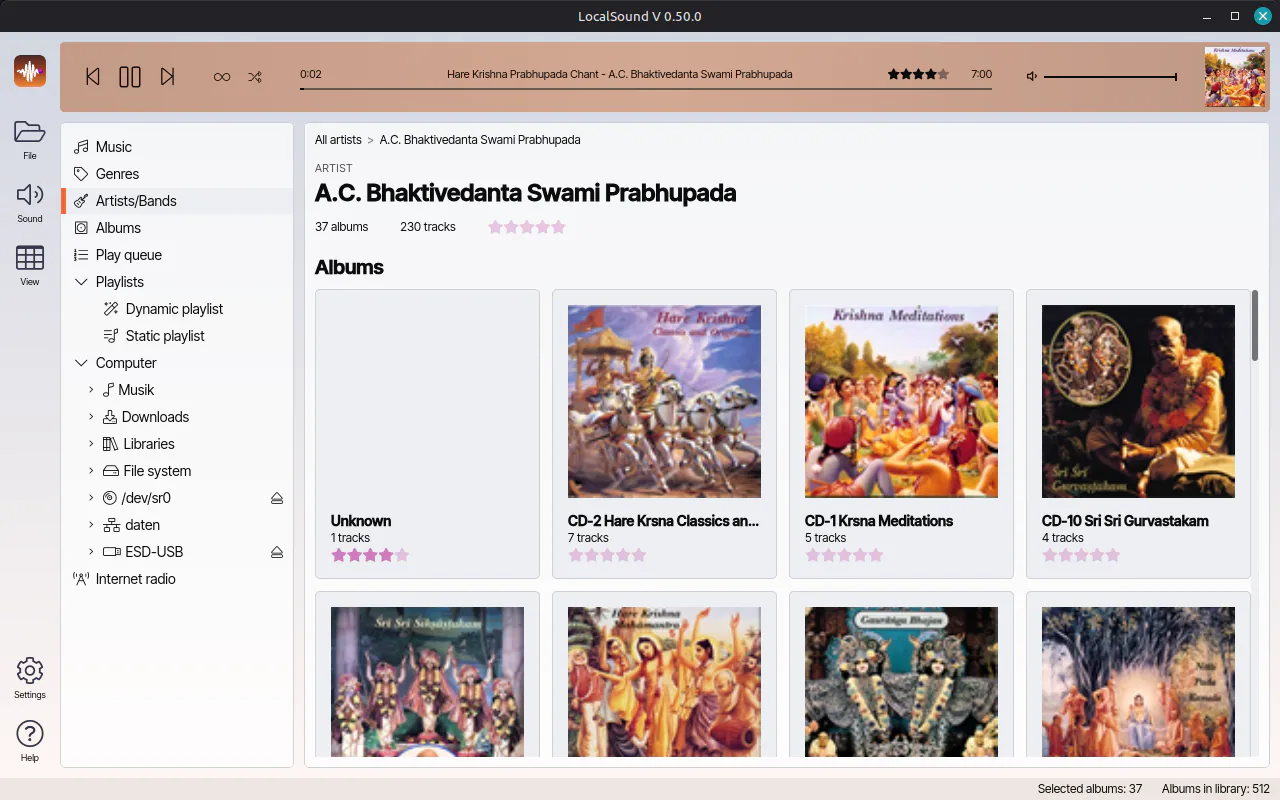
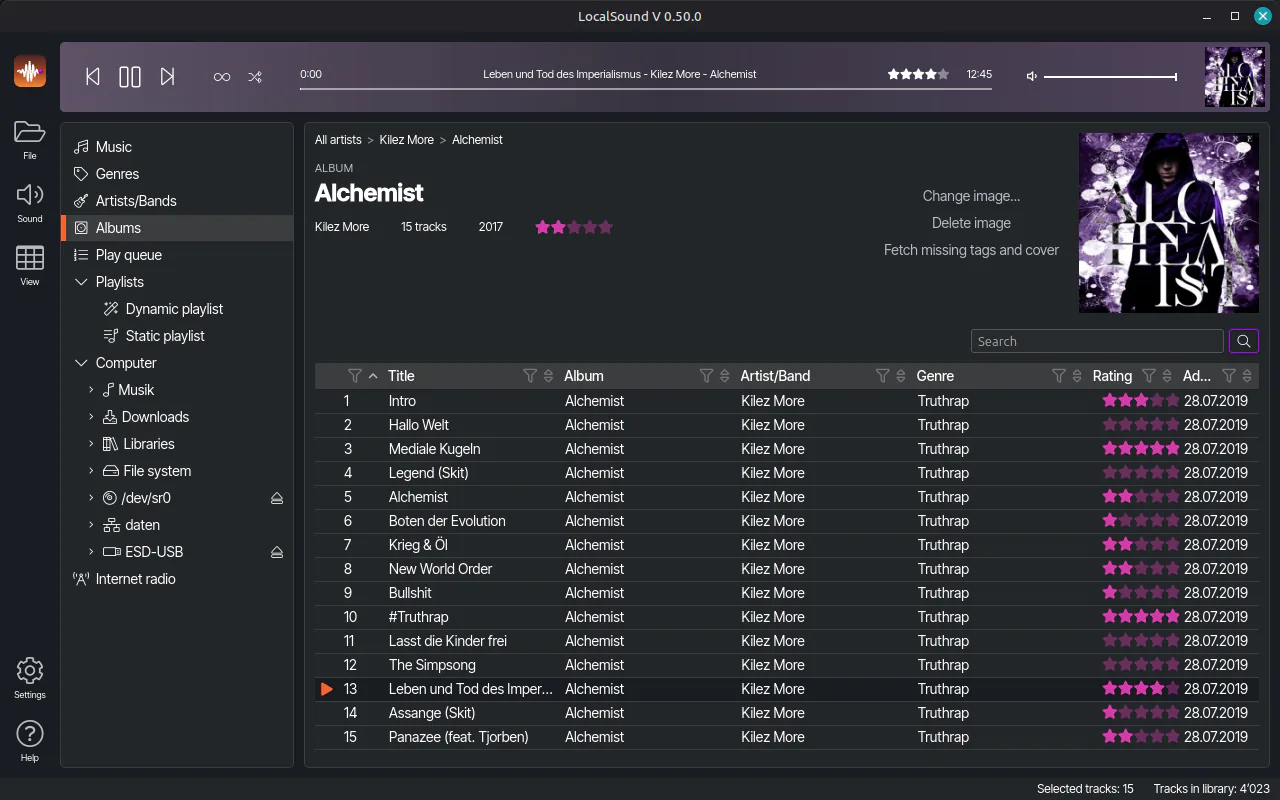
    Column filters, rating and genre filters, and artist and album pages that link to each other. Click from a track to its album and back.

  • Fills the gaps

    Missing tags or covers on your 2004 rips? LocalSound looks them up online and fills them in.

  • Keeps watch

    A folder watcher notices new music while LocalSound is running, so it lands in the library without a "rescan" ritual.

  • Playlists, classic and dynamic

    Hand-picked playlists, dynamic ones that fill themselves by rules, and import and export to take them anywhere.

  • Internet radio

    A searchable station directory and your own list of favorites. Heard something great? One click searches it on YouTube.

  • CDs. Yes, CDs.

    Plays audio CDs and rips them to MP3 or FLAC, with tags and cover from MusicBrainz. Fills a USB stick with your library or your playlists, as MP3 if you like, and ejects it, too. Archaic? Proudly.

  • Same on Linux and Windows

    One app, one look, two operating systems. That was the whole point, really.

  • Make it yours

    LocalSound speaks English, German, French and Italian. Missing your language, or your taste in colors? Add a language file or a theme folder, and LocalSound picks it up by itself at the next start. Here's how.

All features

Your data

Your data, in plain sight

Everything LocalSound creates is human-readable JSON: the library, the playlists, the settings. You keep full control over your data.

  • Open it Any text editor will do. No proprietary database, no secret format.
  • Back it up It's one file. Copy it to a USB stick, a NAS, or a floppy disk if you can still find one.
  • Walk away with it Leaving LocalSound? Your library leaves with you, and your ratings are in your music files anyway.
Music.lsoundexcerpt
{
  "TracksSourceFolders": [ … ],
  "Tracks": [
    {
      "FileName": "04 Knapping in the Rain.flac",
      "AbsolutePath": "/home/you/Music/The Hand Axes/Stone Age",
      "Title": "Knapping in the Rain",
      "Performers": [ "The Hand Axes" ],
      "Album": "Stone Age",
      "NbrOnAlbum": 4,
      "Genres": [ "Rock" ],
      "LengthSeconds": 213,
      "ID3Rating": 196
    }
  ],
  "PlayLists": [ … ],
  "RadioStations": [ … ]
}

Screenshots

Have a look

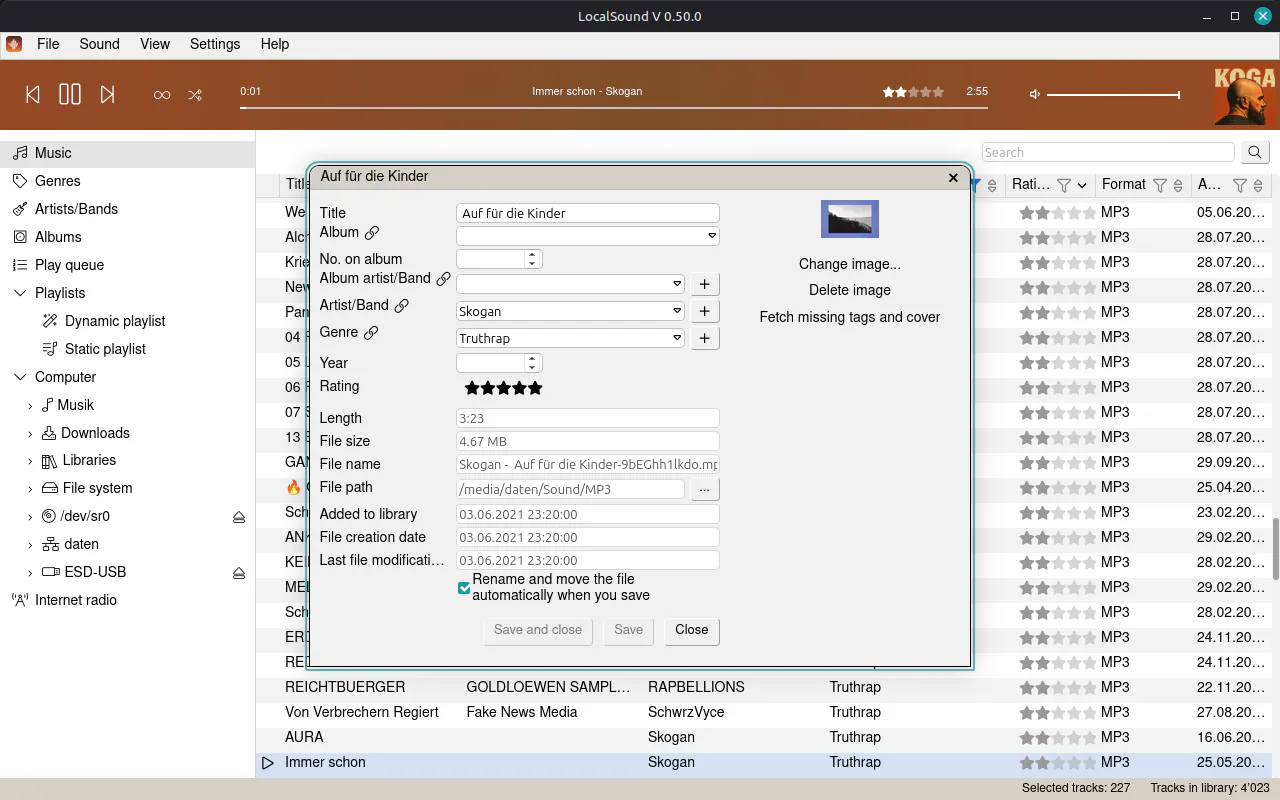
Two in the Dark theme, two in Light, then Eighties and OS. Click to enlarge.

Questions & answers

You might be wondering

Is LocalSound really free?

Yes. No trial, no ads, no "Pro" button. I built it for myself, and I'm happy if it's useful to you, too.

Does it change my music files?

Yes, in two ways. Rating a track or editing its tags writes to the file, because that's where your data belongs. And once a track's tags are complete, LocalSound moves and renames it to fit your save pattern. Prefer your own order? Switch that off per music folder in the library settings.

Where does LocalSound keep my library?

In a .lsound file wherever you save it, written as plain JSON. Your settings live in your documents folder under LocalSound/userSettings.json. The Support page has all the paths.

Can I add my own theme or language?

Yes. A language is one JSON file, a theme is a folder with a config.json and a stylesheet. Drop them into the app folder, and LocalSound finds them at the next start. Building a theme? LocalSound can open up to any browser on this computer, so you get the browser's developer tools. Here's how.

Does it need an internet connection?

No. It only goes online for internet radio, tag and cover lookups, the check for new versions and, about once a month, news.

Does it phone home?

The update check sends a random install ID, the app version and your operating system. No names, no music, no listening habits. Once a month it also asks for news, with just its version and language, so I can't tell who's asking. The privacy page has more.

Why does Windows warn me about the installer?

Because the installer isn't code-signed yet. Certificates cost more than this app earns, which is nothing. Click More info, then Run anyway. Details on the Support page.

Is there a Mac version?

Not today. My honest macOS roadmap is on the Download page. It's short.

Is there a phone app?

No. It's called LocalSound, not PocketSound.

Why isn't it open source?

Because I've spent decades programming the way other people told me to, in code that everyone had an opinion about. LocalSound is finally something that's all mine: my own reviews, my own style guide, my own variable names. Just me and some peace and quiet.

What I build next is up for a vote in the ArchaicTribe. How I build it stays with me. Your data, meanwhile, is as open as it gets: plain JSON you can read in any text editor.

Latest releases

Fresh from the workbench

Full release history

What's next

Next on the playlist

What I'm building next. No dates: this is a spare-time project, and I'd rather be late than wrong.

  • Trim a track

    Cut off the five minutes of silence before a hidden track, or the applause at the end of a live album.

  • A Nineties theme

    Eighties got its LCD display. Nineties gets brushed silver, modeled on the DJ turntables of the decade.

  • Play counts

    LocalSound will count what you play. Stacked album covers already put the best-rated on top; plays will break the ties.

  • Pick your speakers

    Choose which device plays the music: speakers, headphones or that USB DAC you're secretly proud of. The volume slider then turns LocalSound up and down, not your whole system.

Missing something? Wish for it.

System requirements

What you need

Requirement Linux Windows
System 64-bit, with apt: Linux Mint 21, Ubuntu 22.04, Debian 12 or newer, and friends Windows 11, 64-bit
Also needs GTK 3, libnotify and WebKitGTK. apt installs them with the package. Microsoft Edge WebView2. The installer adds it if it's missing.
Installs With one sudo apt install For your user only, no admin rights needed
Updates With your system updates; the app tells you when one is ready The app offers new versions and installs them on restart
Bring A music collection. Ideally your own.

Credits

Standing on shoulders

LocalSound wouldn't exist without these projects. Thank you!

  • MusicBee

    The inspiration. Still the one to use if you're staying on Windows.

  • Photino.NET

    The native window the app lives in, on Linux and Windows.

  • BASS (Un4seen Developments)

    Audio playback, from files and streams to CDs, and CD ripping.

  • LAME

    The MP3 encoder behind CD ripping, built into BASSenc_MP3. It's under the LGPL v2, and its source is on un4seen.com.

  • TagLibSharp

    Reads and writes the tags and ratings in your music files.

  • Velopack

    The Windows installer and updates.

Download

Give it a spin

Worst case, you've lost five minutes and gained a strong opinion.